Account Creation
Account Creation is a two-part flow. First you fill in your profile details so Twintual knows who you are, then you confirm your email with a verification code to prove the account is really yours.
Step 1 · Profile Information
After signing up, Twintual asks for a few profile details under the heading Help Twintual get to know you — We'll learn your communication style so replies sound naturally like you.
You enter your Full Name and Phone Number (with a country code dropdown defaulting to +1). There's also an optional Do you have a referral code? toggle in case a friend invited you.
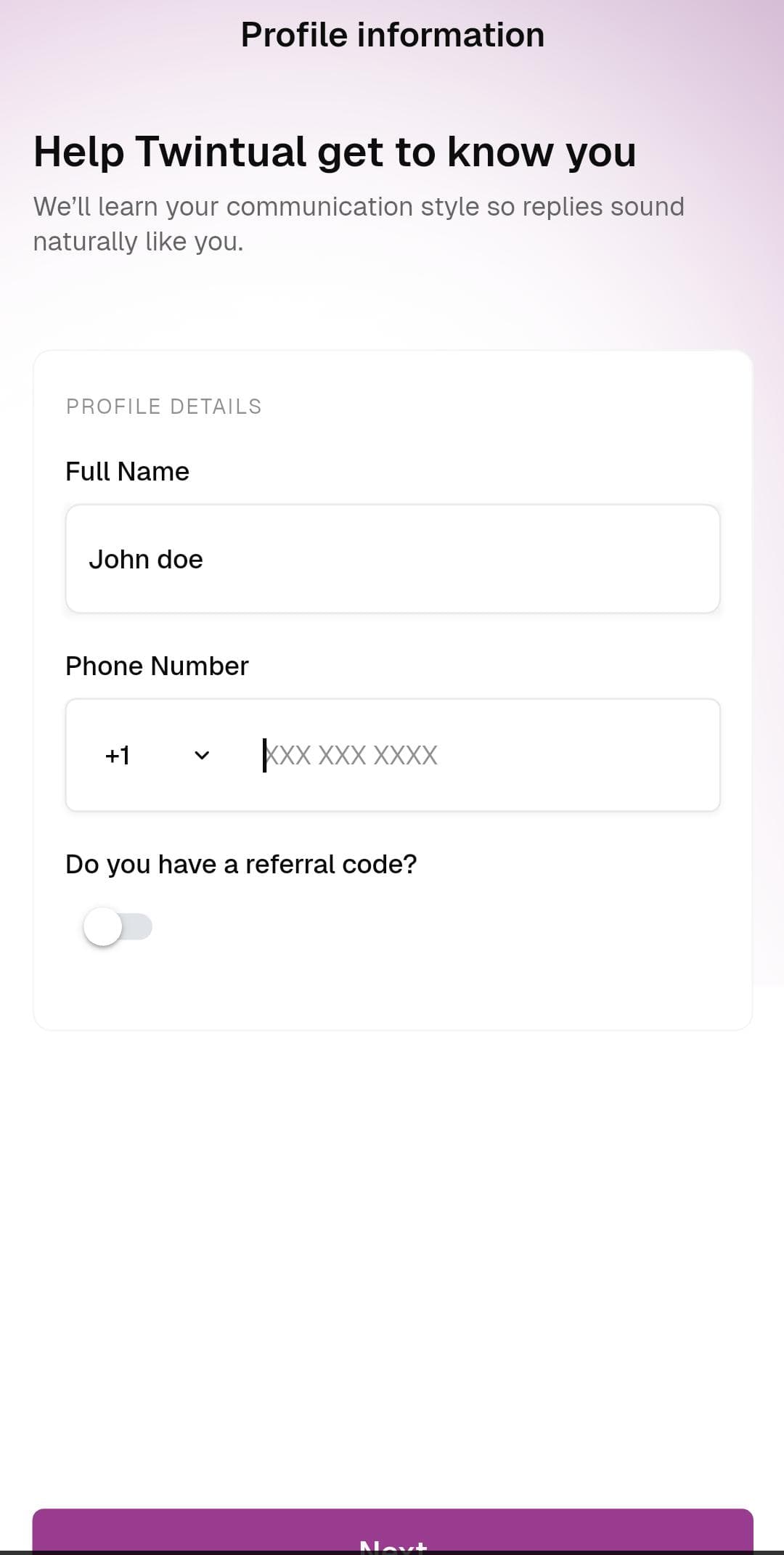
What to do: Type your full name, enter your phone number with the correct country code, optionally toggle the referral code switch if you have one, then tap Next.
Step 2 · Confirm Your Email
Next, Twintual sends a 6-digit verification code to the email you signed up with. The screen — Let's confirm it's you — shows the email address back to you (for example, johndoe@twintual.com) so you can spot typos before troubleshooting your inbox. A countdown timer like Resend in 04:40 lets you request a new code after the cooldown.
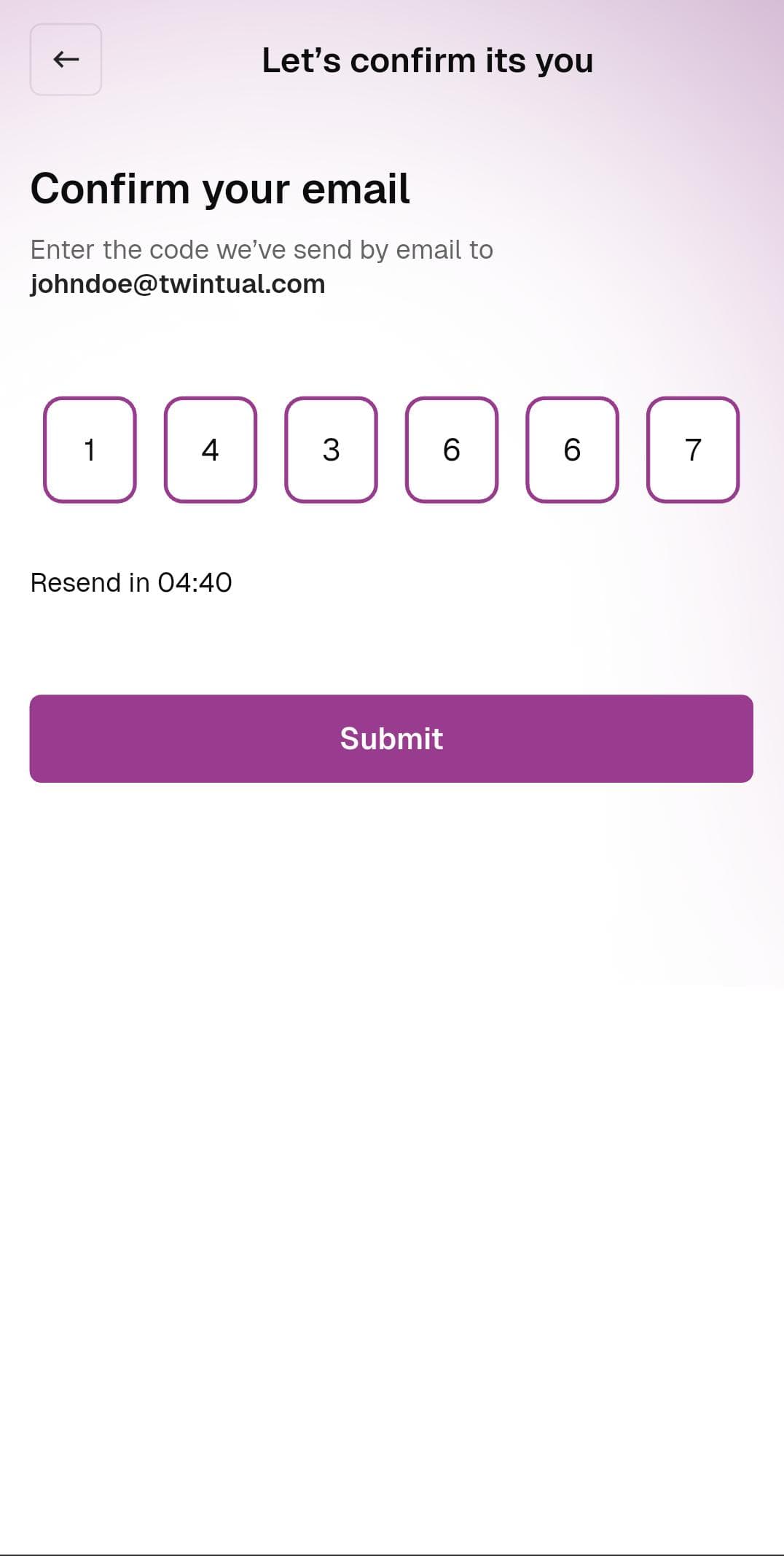
What to do: Check your inbox, enter the 6-digit code into the boxes, then tap Submit. If the code doesn't arrive, wait for the resend timer to finish and try again.
Next step
Continue to Twintual Profile Setup to choose a profile type and color.